
The front-of-house tablet, built around the workflow.
Lands on a floor plan. Walks the cashier through booking → seat → ring → fire → tender → close. Flip into Bar mode via the martini icon to ring open tabs and walkups. Real-time with the kitchen. Recovers from a wrong server URL without leaving the app.
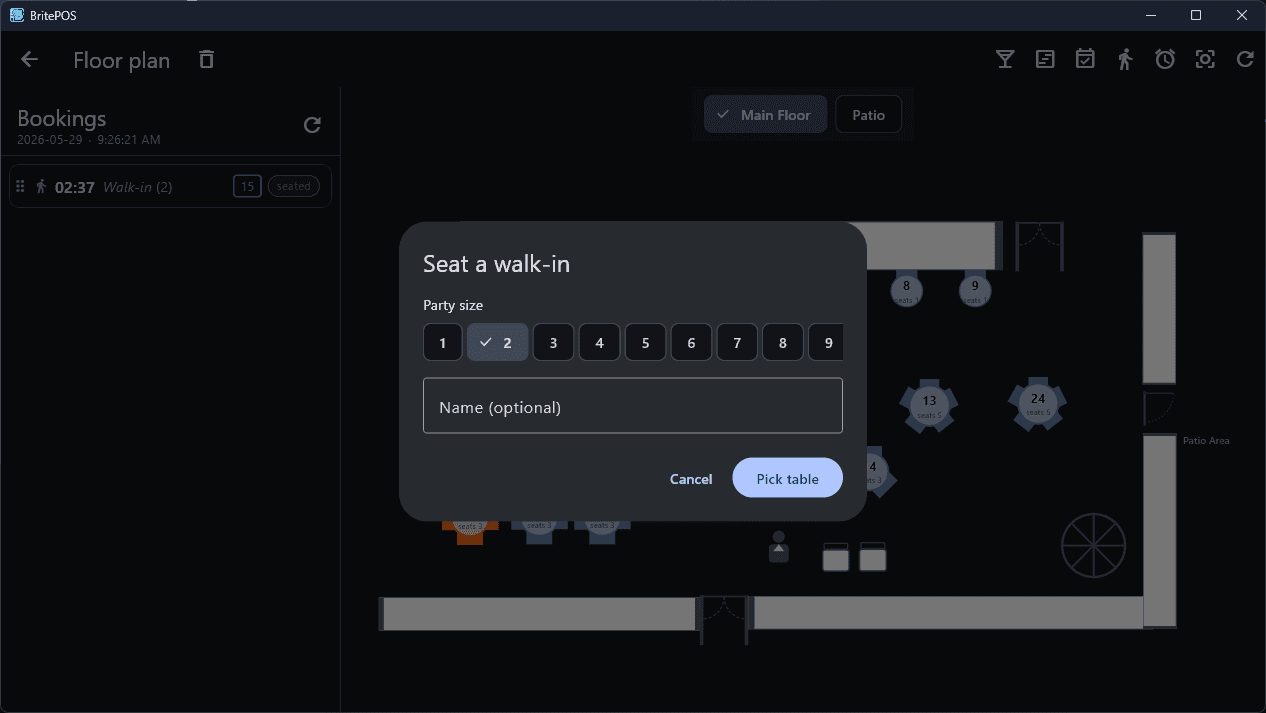
The same plan the admin draws, live on every tablet.
Real-time table state (available / seated / pending / occupied / overdue). Tap an occupied table to recall its order. Tap a free one to walk-in seat a guest. Drag-and-drop to retable. Long-press for a booking drawer.
- Real-time table statebooking.changed + floor-plan.changed broadcasts keep every tablet in sync.
- Drag-and-drop retableDrag a booking onto a different table — or onto the trash to delete.
- Walk-in seatTap a free table to seat a guest without going through the booking drawer.
Today's reservations + walk-ins, color-coded by status.
Course-paced restaurants paint each row with the most-recently readied course color so the host can see across the room which tables are between courses.
- Color-coded statusWashed when booked, solid when seated, course-tinted when running.
- Per-booking session cacheSwitch bookings, come back, find the cart exactly as you left it.
- Drag the trash to cancelDrag onto trash to delete a booking; broadcast lets the host stand follow along.
Where the order lives.
Per-guest attribution, course-color paint as the kitchen progresses, cashier discounts that the server re-clamps, retroactive discounting on already-sent rows, and a Send / Ready / Bump cycle that switches as the course advances.
- Course-color paintSent rows flip from washed to full course color when the kitchen marks them ready.
- Separate ChecksTag every item to G1/G2/… so post-pay prints N separate checks.
- Cashier discount5/10/15/20% presets, custom %, fixed price, No Charge. Server re-clamps to catalog.
- Retroactive discountDiscount an already-sent row — server recomputes order totals atomically.
- Send / Ready / BumpThe right-most action paints the current course's color and switches label as the cycle advances.
- Recall on PayPost-pay Close modal offers Recall to reverse payment and keep ringing.
VAT-aware, processor-agnostic, tip-on-signature ready.
Cash with tendered + change quick-amounts. Other (gift card, comp, voucher) with operator note. Card through the configured payment processor — Stripe, Square, or Mollie. Tax breakdown by VAT band so the receipt reads 'Standard VAT (21%)' instead of one opaque 'Tax:' line.
- Stripe / Square / MolliePer-restaurant processor config. Multi-provider per restaurant supported (e.g. card via Stripe + iDEAL via Mollie on one till).
- EU + US tax stylingHonors prices_include_tax — renders inclusive subtotal hint when needed.
- Tip-on-signature flowAuthorize for the check amount, customer signs the merchant slip with a tip written in, cashier types it and Settle captures auth + tip in one go.
- Tip-line on receiptPre-pay slip with blank Tip: ____ for hand-written tip flows.
Reverse a payment without leaving the till.
The post-pay Close modal offers Recall to reverse a payment so the cashier can keep ringing onto the same order. Refunds go through a refund-options dialog that surfaces per-method maximums before anything commits.
- Recall on PayReverts a completed order to status open and clears payment fields. The cashier surface paints it as still-active.
- Partial line or full-order refundPick a method (card / cash) and an amount; the backend re-validates against the original payment so a tampered client can't refund more than was paid.
- Card refunds reverse the provider intentCash refunds record a Payment row + queue paper slips. Either way, reports stay reconciled.
Ready / Bump cycle that respects what the kitchen is actually doing.
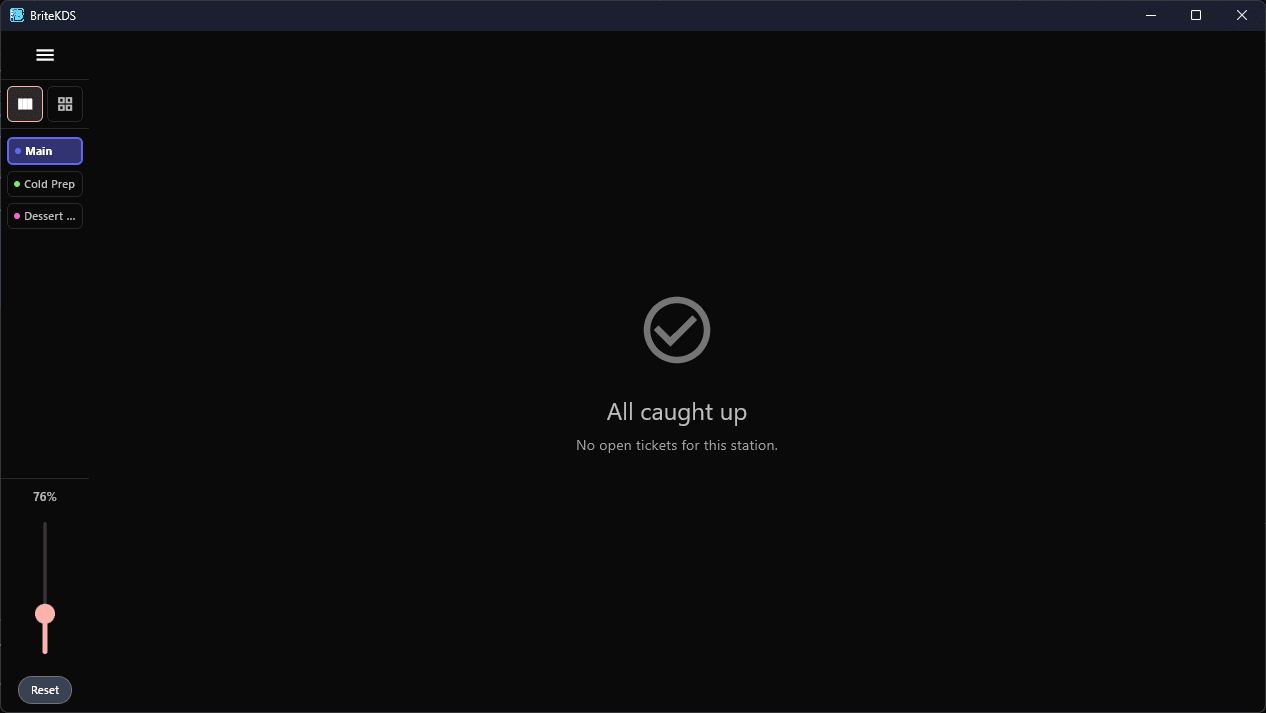
Send fires the whole order. Ready flips when every line in the current course is bumped across all stations. Bump prints a Next Course slip per station and flips the KDS ticket to live.
Built for the rush. Same app, different surface.
Tap the martini icon on the floor plan to flip into Bar mode. Open tabs, walkups, bar-rooted drink menu, multi-bar dropdown, convert-to-table — all without leaving the cashier app.
- Open tabs sidebarPending tabs live on the device until the first Add lifts them server-side. Server-backed tabs live-sync across every tablet.
- Walkup modeNo tab, no Send, no Close. Pay implicitly fires and tenders. Row auto-closes after Pay completes.
- Multi-bar dropdownMain Bar / Service Bar / Patio — pick one in the AppBar to filter tabs and re-root the drink menu.
- Convert-to-tableThe T button on any tab opens a floor-plan picker; one tap re-keys the tab to a table and reroutes the kitchen.
- No-merge ring-upEach drink is its own line so the bartender can claim or comp them one at a time. The receipt re-quantizes (4x Beer) on print.
- Convert from bar back to floorDrop bar_id, route to station printers, tab disappears from the bar sidebar and pops onto the floor plan.